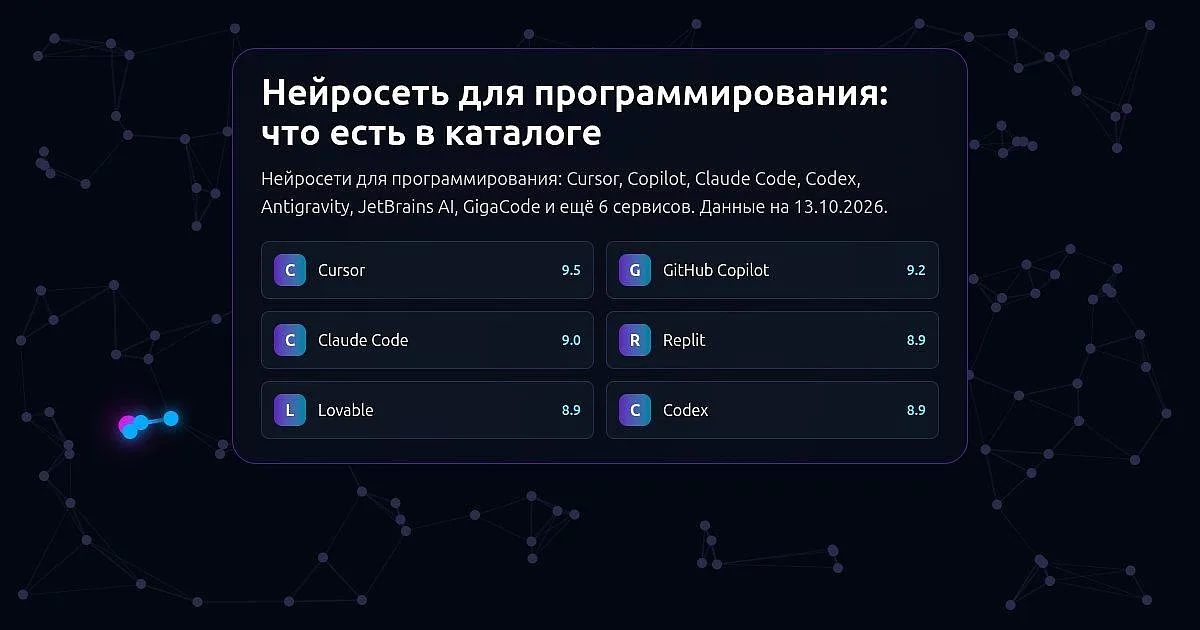
In short. The "Coding" category has thirteen services that solve two different tasks. Nine help people who write code themselves: the editor Cursor, the assistant GitHub Copilot, the agents Claude Code, Codex and Devin, the platform Google Antigravity, the AI features of the IDEs JetBrains AI and two assistants, GigaCode and SourceCraft Code Assistant. Four build a website or app from a description in chat, with no programming needed: Lovable, Replit, Bolt and v0. According to the catalog pages, Cursor, GitHub Copilot, Codex, Devin, Google Antigravity (for individual developers), GigaCode (for personal use), Lovable, Replit, Bolt and v0 have a free plan; JetBrains AI lists a free month of the Pro subscription; for SourceCraft Code Assistant see the pricing rules for free-access terms; Claude Code has no free access and is included in paid Claude plans.
- CCursor
- GGitHub Copilot
- RReplit
- LLovable
- JJetBrains AI
- OOpenCode
- Vv0
- BBolt
- GGigaCode
- SSourceCraft Code Assistant
- DDevin
We use only what our catalog pages say.
For people who write code
Cursor is a code editor with a built-in AI agent from the US company Anysphere. The agent reads your whole project, writes and changes code across files from a plain-language request and runs commands; there is also autocomplete, cloud agents that work in parallel, a CLI and a mobile app. You can choose models from different companies. There is a free plan, no credit card required, but agent requests on it are limited, and cloud agents and MCP are paid only.
GitHub Copilot is an AI coding assistant from GitHub, which is owned by Microsoft; it launched in 2021. It suggests code in your editor, answers questions in chat and, in agent mode, makes changes to your project itself. You can assign a task to the cloud agent, which prepares a pull request on GitHub, and Copilot can also review code. It works in VS Code, Visual Studio, JetBrains IDEs, Xcode, the terminal, a standalone app and on github.com. The free plan includes agent mode and the CLI; the cloud agent and pull request code review are on paid plans only.
Claude Code is an AI coding agent from the US company Anthropic, built on Claude models. It works through the codebase, edits files and runs commands while you steer and review the changes. It runs in the terminal, in VS Code and JetBrains IDEs, in a desktop app, on the web, in iOS and Android apps, on GitHub and in Slack, and supports macOS, Linux and Windows. It can be extended with plugins and connects to external tools over MCP. There is no free access: it is included in paid Claude plans.
Codex is an AI coding agent from OpenAI. It writes and edits code, works through your project, reviews changes and can work on a task in the cloud. It is available in the ChatGPT desktop app, in the terminal (Codex CLI), as a code editor extension and in the cloud, and it connects to GitHub and Slack. It is part of ChatGPT, including the free plan. The Codex CLI source code is open.
Devin is a set of AI coding agents from the US company Cognition. Devin is presented as an autonomous software engineer: it runs in the cloud or on your machine, tests its work in its own browser and prepares a pull request. The Devin Desktop editor (windsurf.com now redirects to its page) lets you launch, supervise and review several local and cloud agents at once; there is also a CLI. It includes Cognition's own models and models from other companies. There is a free plan.
Google Antigravity is a development platform from Google for building software with AI agents. It includes the Antigravity IDE with an agent manager, Antigravity CLI for running autonomous agents in the terminal, Antigravity 2.0 for running several local agents in parallel and a Python SDK. It works on macOS, Windows and Linux. It is available at no charge for individual developers. Antigravity CLI has replaced Gemini CLI for users without a paid plan, according to the Gemini CLI website.
JetBrains AI is AI built into JetBrains IDEs. In the AI chat you can choose an agent: Junie, Claude Agent and Codex are included in the JetBrains AI subscription, and others connect through ACP. You can use models from different companies, your own local models and API keys, and connect tools over MCP. It offers code completion, commit message generation, error explanations, Git conflict resolution and unit test generation. JetBrains AI Pro can be tried free for one month.
GigaCode is an AI assistant for developers on the GitVerse platform. It suggests code, generates it from comments, and in chat explains, documents, tests and reviews selected code; the agent mode edits files, runs tests and makes commits. It works in GigaIDE, Visual Studio Code, JetBrains IDEs, Android Studio and Jupyter Notebook; the site states support for more than 35 programming languages and a choice of more than 35 open-source models. There is a free tier for personal use only; use inside a company needs a business plan.
SourceCraft Code Assistant is an AI assistant from Yandex Cloud, part of the SourceCraft platform; formerly called Yandex Code Assistant. It works in agent mode and in a built-in chat, gives context-aware suggestions, reviews code in the IDE and lets you connect MCP servers and your own LLM providers. There are plugins for Visual Studio Code and JetBrains and a command-line tool. See the pricing rules for free-access terms.
Build a site or app from a description
Lovable is an app and website builder from Lovable, a Stockholm-based Swedish company: instead of programming, you describe your idea in a chat. The AI writes the code, sets up a database and publishes the result on a lovable.app address or your own domain; you can edit with words or by hand, and the code syncs with GitHub (the card also lists GitLab and Bitbucket, even on the free plan). You can start for free, but the free plan does not allow a custom domain or removing the "Edit with Lovable" badge.
Replit is an online platform from the US company Replit where an AI agent builds apps, websites, dashboards and chatbots from a plain-language description. Code, database, hosting and publishing are built in, everything runs in the browser and nothing needs installing; there is also a mobile app. It has a planning mode, parallel agents and team collaboration. There is a free plan, but on it a published app stays online only for a limited time.
Bolt is a builder for websites, web apps and prototypes in the browser, made by StackBlitz. You describe what you need, the AI writes the code, you see the result right away and refine it by asking in chat. Hosting and databases are built in; there are templates for stores, dashboards and portfolios. There is a free plan.
v0 is an AI web app builder from the US company Vercel. From a description or a sketch it creates an interface and an app that you can adjust visually, sync with GitHub and publish to Vercel. There is a free plan.
What to pick
- Write and change code across several project files: Cursor, GitHub Copilot, Claude Code or Codex.
- Work in a familiar environment (VS Code, Visual Studio, JetBrains, Xcode): GitHub Copilot.
- If you already work in a JetBrains IDE: JetBrains AI (also GitHub Copilot, GigaCode and SourceCraft Code Assistant, which have JetBrains plugins).
- Work from the terminal: Claude Code, Codex (Codex CLI), GitHub Copilot, Google Antigravity (Antigravity CLI), GigaCode (GigaCode CLI) or SourceCraft Code Assistant (command line).
- Hand a task to a cloud agent and get changes to review: GitHub Copilot (pull request), Codex, Cursor, Devin. Cloud agents in Cursor and Copilot are on paid plans.
- Run several agents at once: Cursor, Devin, Replit, Google Antigravity (Antigravity 2.0).
- Choose models from different companies or connect your own: Cursor, JetBrains AI (your own local models and API keys), SourceCraft Code Assistant (your own LLM providers), GigaCode (more than 35 open-source models); Devin includes its own models and models from other companies.
- An open-source tool: Codex CLI.
- Build a site or app without knowing how to program: Lovable, Replit or Bolt.
- Create an interface from a description or a sketch: v0.
- Code, database and hosting in one place with nothing to install: Replit, Bolt or Lovable.
- Start for free: Cursor, GitHub Copilot, Codex, Devin, Google Antigravity, GigaCode (personal use), Lovable, Replit, Bolt, v0 (each has its own limits, described above); JetBrains AI has a free month.
How to check the result
- Run the code and run the tests, if there are any: generated code may contain mistakes.
- Read the changes before accepting them, especially if the agent edited many files.
- Do not paste passwords, access keys or personal data into the chat.
- For an app built in a builder, check that it opens on a phone and that data is saved.
The data comes from our catalog pages as of 13 October 2026; service terms change, so check current plans and limits on the official pages. If something is out of date, tell us in the comments under the post in our Telegram channel, Pro AI Expertise (the channel is in Russian), and we will update the page.