GigaCode
Description
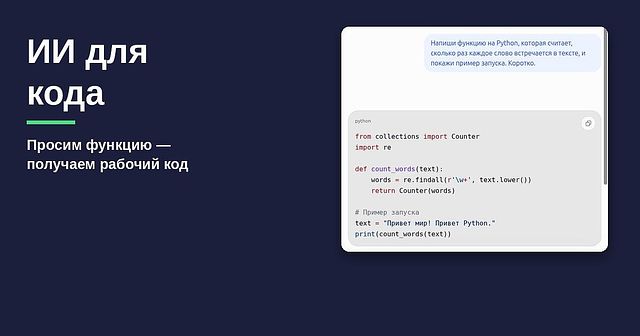
GigaCode is an AI assistant for developers on the GitVerse platform. It suggests single-line and multi-line code, generates code from comments and has a chat in the IDE that can explain, document, test, review or improve selected code. An agent mode finds and edits files, runs tests, builds projects and makes Git commits. Through AI Factory in the plugin for GigaIDE and JetBrains IDEs you can pick among more than 35 open-source models, including GLM, MiniMax, Kimi, DeepSeek and Qwen. It works in GigaIDE, Visual Studio Code, JetBrains IDEs, Android Studio and Jupyter Notebook; the site states support for more than 35 programming languages. Per the FAQ on the GigaCode page, your code is not used to train its models.
GigaCode CLI. A terminal AI agent: it works with a project in your local environment, reads the repository structure, writes, edits and explains code from text prompts, helps with refactoring and bug search, and can run multi-step agent tasks with tools and plugins.
GigaCode Desktop. A desktop app with an AI agent for office and technical work: documents, spreadsheets, presentations and other files, text drafting and routine automation. GigaCode CLI is built into it, so the same coding scenarios are available inside the app: code generation and editing, repository analysis, bug search and refactoring.
How to get CLI and Desktop. The GigaCode page describes both products as aimed at internal teams, with corporate requirements for security, access control and integration with company infrastructure. We did not find a public download, installation guide or list of supported operating systems for either of them on the GigaCode page or in the GitVerse documentation, and the page does not say whether they are part of the free plan. The publicly available part is the IDE plugin.
GigaCode Universal Agent. An open source agent from the GigaCode R&D team, published on GitVerse under the free GitVerse 1.0 license, which allows commercial use and modification. It is written in Python and works with any model through the chat/completions API, for example via OpenRouter or vLLM, so you need your own model endpoint and token. It can run as a terminal interface, a headless CLI, a server with a REST API, an OpenAI-compatible chat endpoint, or an agent inside an IDE through the Agent Client Protocol. It supports MCP servers, skills, AGENTS.md project instructions, automatic switching between lighter and stronger models, and voice input. It is installed with uv straight from the GitVerse repository.
Not to be confused with Gigacode from Rivet. There is a separate open-source project with a similar name: Gigacode CLI by Rivet (npm package @sandbox-agent/gigacode), described by its authors as experimental. It puts the OpenCode terminal interface on top of other coding agents such as Claude Code and Codex. It has nothing to do with GitVerse and is not covered by this card.
The free plan is for personal use only; use inside a company needs a business plan, see the official pricing page.
Pros and cons
Pros
- There is a free tier for personal use
- Works in GigaIDE, Visual Studio Code, JetBrains IDEs, Android Studio and Jupyter Notebook
- Agent mode in the IDE, plus a terminal agent (GigaCode CLI) and a desktop app (GigaCode Desktop)
- Choice of open-source models in the plugin for GigaIDE and JetBrains IDEs
- Open GigaCode Universal Agent that works with any model through the chat/completions API
Cons
- The free tier is for personal use only; use inside a company needs a business plan
- GigaCode CLI and Desktop are described as solutions for internal teams; we found no public download, install guide or list of operating systems
- Easy to confuse with the unrelated Gigacode CLI by Rivet
Key facts
- Free access
- Yes Free tier for personal use only
- Pricing
- Pricing on the official site →
- Developer
- GitVerse
- Interface languages
- Russian
- Checked on
- Nov 9, 2026