J
Julius AI
Description
An AI data analyst: upload an Excel or CSV file or connect Google Drive and ask questions in plain words, and it runs the numbers, builds charts, spots patterns and explains the results. You can turn the analysis into a report, slides, a dashboard or a simple website. It runs in the browser.
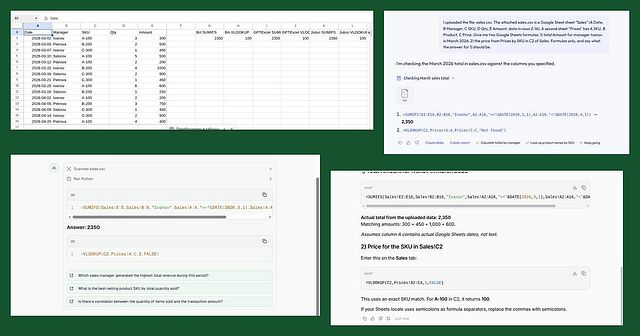
Checked by hand on 28 October 2026 on a test sales table: asked for Google Sheets formulas, it wrote a SUMIFS and a VLOOKUP, computed the total from the file and warned that sheets with a semicolon separator need commas replaced. Both formulas returned the right result. Sign-in is through Google or email, with a terms checkbox; no card was asked.
Pros and cons
Pros
- There is a free plan
- Analyzes Excel and CSV files from plain-language questions and builds charts
- In our test it also wrote correct Google Sheets formulas and checked the total against the file
Key facts
- Free access
- Yes
- Pricing
- Pricing on the official site →
- Developer
- Caesar Labs, Inc.
- Interface languages
- English
- Checked on
- Oct 28, 2026
Editorial score
How strongly the AI Expertise editors recommend this tool for each of its categories right now, on a 0–10 scale. The score combines output quality, features, beginner friendliness and freshness.