Video generation is expensive to run, so "free" almost always means a trial, not unlimited use. Typically it is credits granted once or every day, a cap on the number of clips, a reduced set of models and a watermark on the result. That is enough to get to know a tool and make a couple of clips for social media. For work where the video goes to a client it usually is not: a clean file and the right to use it commercially normally come with a paid plan.
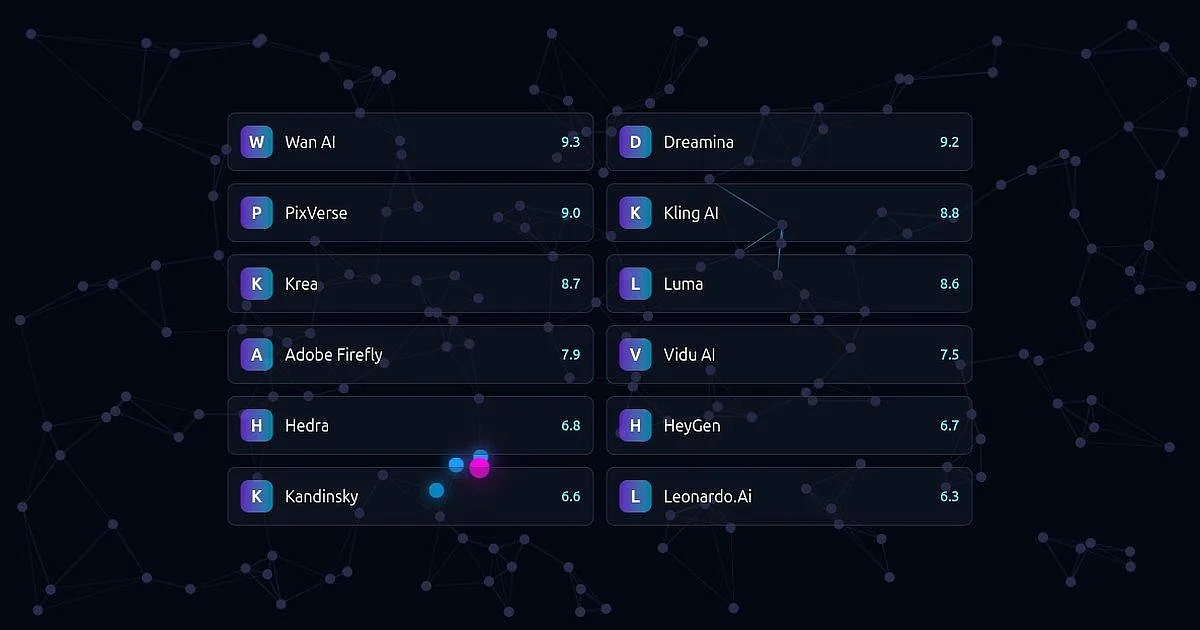
Below is the list of tools in our catalog that have a free plan. It builds itself and is sorted by our score.
- WWan AI
- DDreamina
- PPixVerse
- KKling AI
- KKrea
- LLuma
- AAdobe Firefly
- VVidu AI
- HHedra
- HHeyGen
- KKandinsky
- LLeonardo.Ai
How to choose
Read the free plan terms on the tool's page. Look for two things: how credits are replenished (daily or once at sign-up) and whether the output is watermarked. They are different cases. Credits given once run out during your first experiments.
Check the language. Some tools have a Russian interface, others only English, and not all of them understand a scene described in Russian. Our tool pages note which languages the website and the app support. Sometimes the website has Russian and the app does not.
Find out whether there is an app and whether you can install it. If you want to generate from a phone, see whether the page lists an official app and whether it is available in your store. For some tools the app exists but is not in the Russian App Store.
See how you sign in. Some tools only accept their own account: Shedevrum opens with a Yandex ID, and Kandinsky online works through GigaChat with a Sber ID. Without that account the tool is out, however good it looks in the list.
Do not confuse a trial with a free plan. The list above shows tools that have a free plan. Hailuo AI and Runway give starter credits once, with no refill. You can try them, but they will not last, so they are not shown in this collection.
Where to start
If you want credits every day and a Russian interface, open Kling AI: the website has a Russian version and free credits arrive daily, but clips come with a watermark. If you want to run a model on your own computer, see Wan AI: some of its models are open and can be downloaded from GitHub, though you need a strong graphics card.
Which tool worked better for you? Tell us in the comments under the post in our Telegram channel, Pro AI Expertise (the channel is in Russian).